


January 13, 2026
By Tiffany Yang-Tran
A realistic usability testing environment provides great value to participants and sponsors alike by supporting a test environment that has minimal artifact or does not cause the participant to act or perform in a way that would be different from actual use. A test environment can impact the participant by 1) artificially causing findings and/or 2) making the “test” too easy. As described in our previous article, a realistic testing environment reduces the number of usability test findings caused by simulated test environment artifacts.
In this article, we discuss how a realistic test environment has the potential to expose findings that might occur in a real-world situation, specifically when it comes to emergency situations. For example, a participant might successfully respond to an emergency situation when there is no urgency, no chaos and no environment noise. However, by adequately representing an emergent situation during the usability test, we can truly put the product through its paces and evaluate that the participant, under representative high-pressure, can navigate the user interface to complete the required tasks. Below, we describe various considerations for such testing environments.
Place test materials to represent posture of users
Consider where the product would be in an emergency situation so that you can evaluate how participants interact with the product based on their physical positioning (e.g., kneeling and looking down at a screen, leaning over a patient bed).
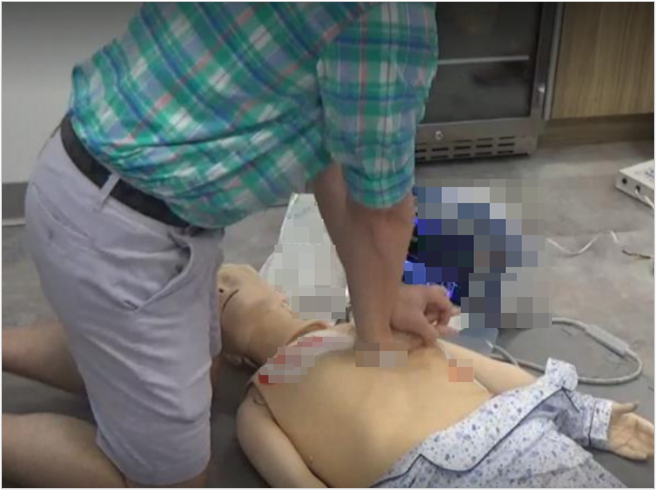
For example, an automated external defibrillator (AED) could be used in many public spaces, such as a public gym or restaurant. As such, placing the manikin and AED on a table would likely be too convenient and unrealistic. In the event a patient experiences a sudden cardiac arrest, they will likely end up on the floor. To represent this situation, place the manikin on the floor so that the participant interacts with the device in a representative manner. Doing so will force the participant to interact with the AED’s user interface at a realistic viewing angle, enabling you to evaluate whether the screen’s content is still legible with the associated angle’s glare and contrast, for example. Additionally, you can evaluate if the participant is able to place the electrodes, care for the “patient” (i.e., manikin) and access the AED’s buttons from a crouched position.
Provide representative access to the product
Similarly, consider how the product would be accessed in an emergency situation so that you can evaluate if participants can access the product in a timely fashion.
Continuing with the AED example, an AED might typically be placed in a zippered case inside a wall-mounted cabinet. As another example, an EpiPen could be at the bottom of a bag or backpack. So, placing the products directly in front of the participants on a test room table eliminates the opportunity to evaluate whether participants can identify and retrieve these products quickly in a critical situation. Instead, you could place the AED on a shelf at the opposite end of the room or place the EpiPen in a bag for participants to retrieve. This contributes not only to the realism of the scenario but also to the urgency of the emergency situation.
Use sound to simulate environmental distractions
Next, consider the noises in an emergency environment so you can evaluate if the user can work through any potential distractions and hear alarms/other audible feedback emitted by the product.
An AED could be used on a busy city sidewalk, so having participants work in a silent usability laboratory might make it too easy to concentrate, potentially biasing participants to perform “too perfectly.” Instead, play a background soundtrack with city noises to capture the distractions of honking cars, sirens and surrounding conversations. As another example, if a patient monitor/defibrillator is used in the emergency room, play a soundtrack that has hospital announcements, monitor beeping sounds, background voices, etc. And, if an EpiPen is used in the middle of a busy restaurant, play a soundtrack that has clanking dishware, surrounding conversations and background music. Spotify and YouTube have plenty of soundtracks to choose from!
Alternatively, other sounds can be used to stimulate urgency. For example, playing a soundtrack with beeps that increase in volume and frequency throughout the simulated use scenario can simulate the time pressure, urgency and stress of an emergency situation.
Use bystander intervention to convey urgency
Once you’ve considered product placement and background noise, consider how a bystander’s intervention can help provide context and set a tone of urgency.
In addition to general environmental sounds, emergency products might be susceptible to concerned passersby or family members who are eager to help. Depending on the situation, consider if your test environment warrants an “actor” (perhaps played by the moderator) who can convey this time pressure. Perhaps the patient is receiving hemodialysis treatment and has a venous needle dislodgement. Simply shouting, “Quick, your patient needs help!” could be enough to convey urgency. Or, perhaps you are evaluating an EpiPen, and you could state, “Your child is having difficulty breathing!” Although we, as human factors engineers, are not known for acting, playing the part here can certainly be effective.
Use visual effects to set the scene
Although sound can have a substantial impact on creating a sense of emergency, consider how visual effects can help set the scene as well.
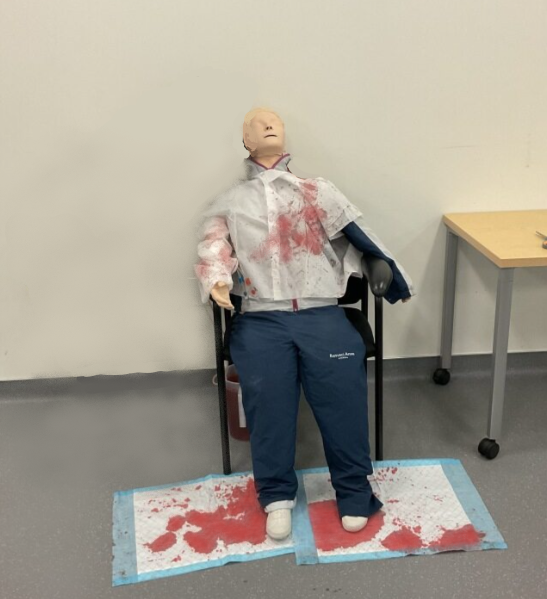
Below is an example of a simulated venous needle dislodgement, wherein a venous needle in the vascular access point detaches and results in blood exiting the body at high pressure and velocity. This is an emergency situation that can happen very quickly and result in extreme blood loss if not resolved urgently. Realistically, nurses have told us that blood can splatter aggressively onto nearby surfaces. To simulate this (while also being efficient with setup and cleanup), the test team laid chucks pads with “blood” (i.e., red food coloring) stains on the floor and placed a “blood”-soaked jacket on the manikin.
Realistic simulation of emergency situations in practice
So what does this all look like when combined in practice?
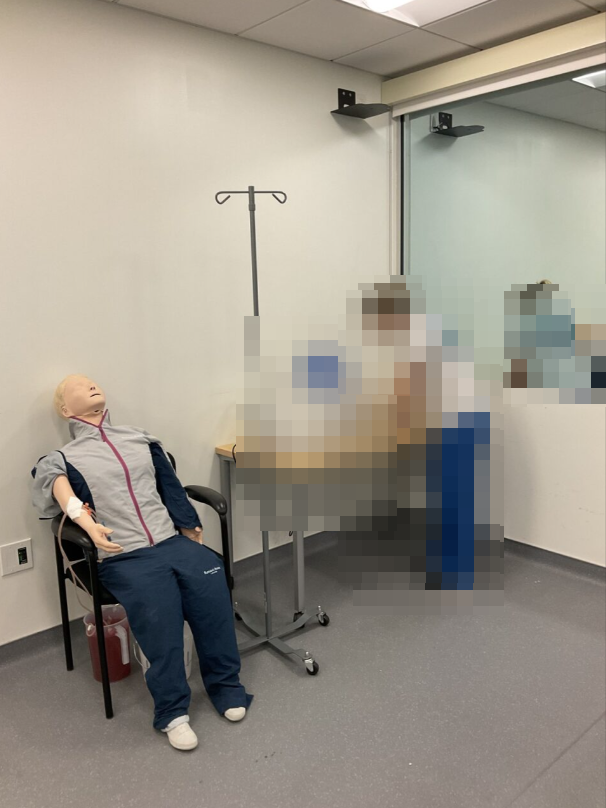
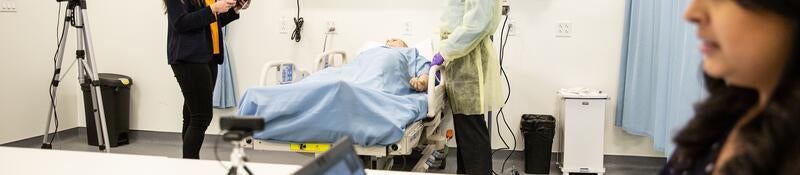
In a test of a hemodialysis system, we considered the manikin placement, product access, environmental sound, bystander intervention and visual effects to simulate this situation. The test team placed the manikin in a seat next to the hemodialysis system in the same way a patient would be in a dialysis clinic, and the system was accessible at a representative height. They also played a background track containing a myriad of voices and device tones. To simulate an emergency venous needle dislodgement scenario, the test team had the participant wait in the hallway while the test team placed “blood” stains on the floor and manikin. They then pulled out the venous needle to trigger the device’s very loud and high-pitched alarm and ran to the participant shouting, “Help! Your patient needs help!”
Contact our team to learn more about how to set up the test environment to simulate an emergency for your next usability test.
Tiffany Yang-Tran is a Senior Human Factors Specialist at Emergo by UL.

X
Request more information from our specialists
Thanks for your interest in our products and services. Let's collect some information so we can connect you with the right person.
Please wait…
Characters remaining